A job search generates an unusual amount of information: companies, roles, recruiters, emails, documents, referrals, interview notes, follow-ups, and deadlines. As I started my own job search, I would traditionally have managed that complexity with a collection of spreadsheets, folders, notes, and to-do lists. This time, I took a different approach.
With AI-assisted development removing much of the technical barrier to building software, my first thought wasn't "Which app should I use?" but "Let's build one." Rather than spending time evaluating existing tools, only to discover weeks later that they didn't quite fit the way I worked and having to migrate everything somewhere else, I preferred to invest that time building something that would exactly map to my requirements.
Starting with functionality, not polish
Like most of my personal projects, this one began with something I wanted to use myself. I needed a tool to support an active job search, so getting something usable into my own hands mattered more than refining every design detail.
I started two parallel explorations.
On one side, I worked with Claude to plan the app's architecture and data model, eventually building a simple Next.js app backed by a set of interconnected Notion databases.
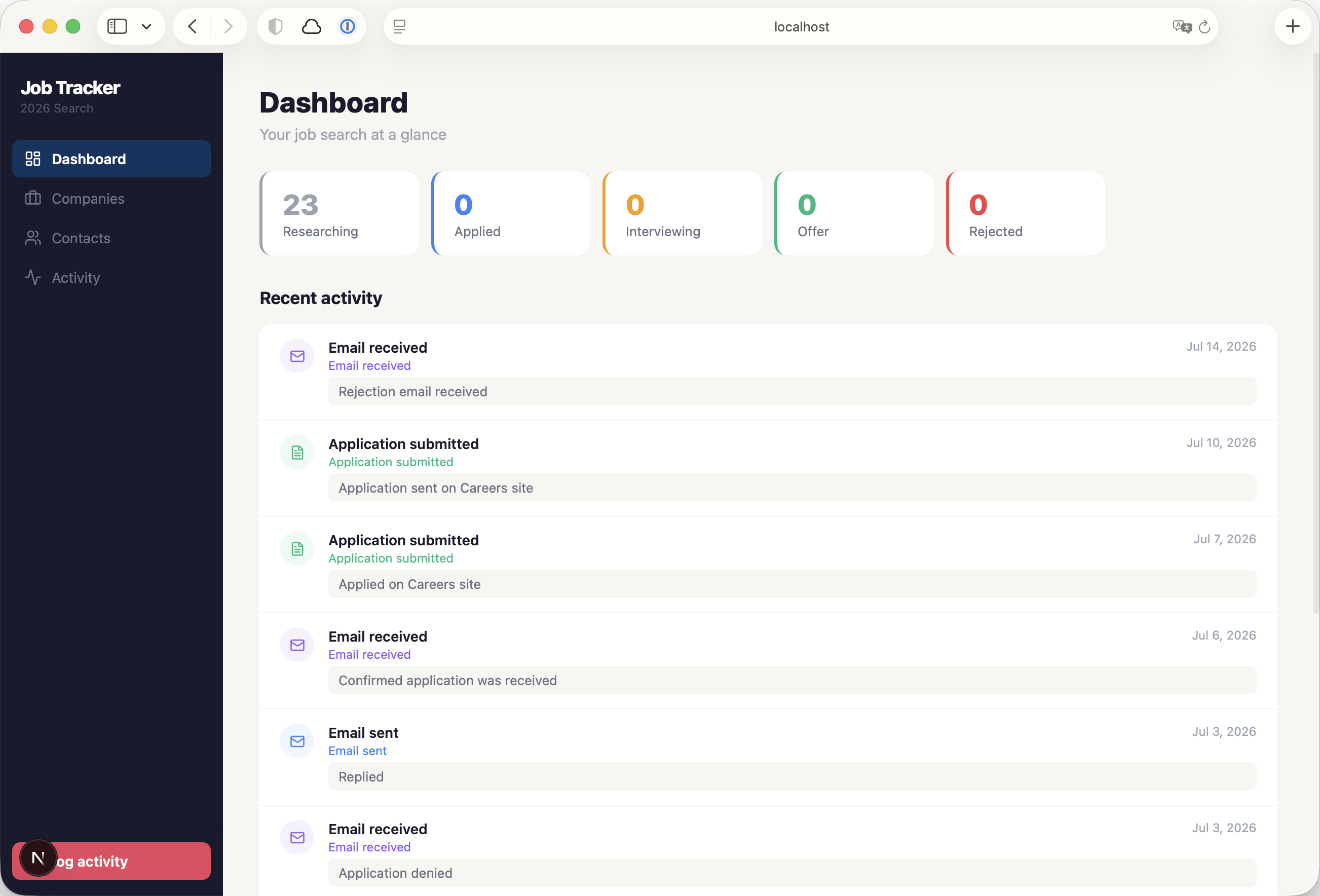
The first build Claude provided was an expression of the database that we had built: a way to expose the data that I wanted to collect. Functionally it worked, but without the design layer to make it an enjoyable experience, it still felt like little more than a database.
The first build exposed the data but lacked the design layer to make it an enjoyable experience.
At the same time, I experimented with Figma Make to explore possible interface directions. While the generated designs were suspiciously reminiscent of Figma's own design language, they started to better reflect the experience that I had imagined and defined in my prompts.
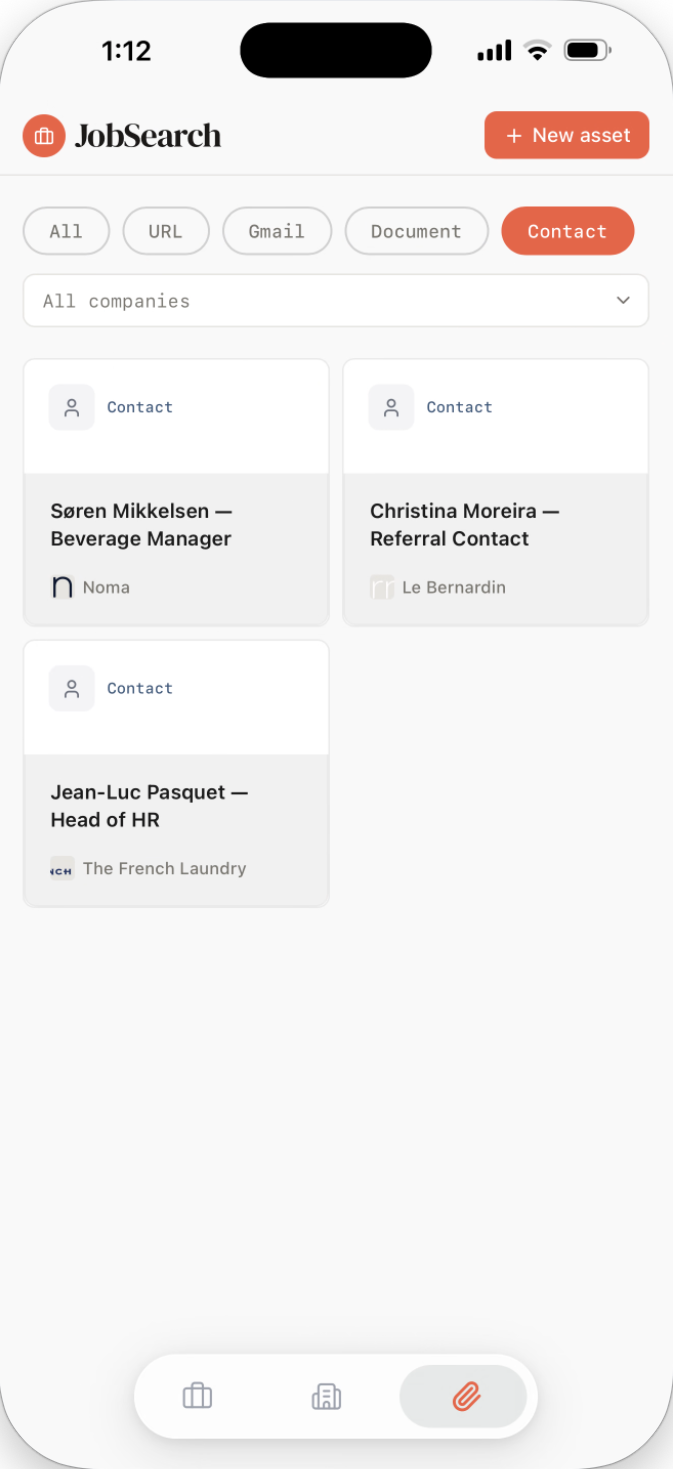
Now we had three sections — Jobs, Companies, and Assets — which provided access to that same core data. Companies could contain multiple roles. Jobs and companies could reference shared assets such as documents, contacts, and links. Each role maintained a timeline of activities and a current status.
Designing around relationships
Moving the early Figma Make concepts into a traditional Figma file allowed me to evolve the experience in more detail. I concentrated on navigation, information hierarchy, and how different pieces of information would connect to one another, as well as tweaking the visual design.
Moving into Figma allowed for a more considered exploration of navigation, hierarchy, and how information connected.
Those designs became the basis for a complete rebuild of the interface using Claude Code. While the underlying data model remained largely intact for a while, the app's interaction model changed considerably.
Jobs and companies received dedicated detail pages rather than modal dialogs. Navigation became centred around moving naturally between connected information. Activities evolved from simple log entries into a timeline that documented the progress of each application.
Every role brings together the people, documents, links, and conversations that surround it, creating a complete picture of the application in one place.
Daily use became the design process
Once I started using the app every day, the project took on a different character.
Rather than sitting down to design new features, I found myself noticing small moments of friction as they happened. Each annoyance became an opportunity to refine the product.
The traditional process of refining every detail before something ever gets built gave way to something much more immediate: building, using, noticing, and refining.
Activity notes gained @mentions, allowing contacts, documents, and links to be referenced directly inside notes and activities. Assets became cross-linked throughout the app rather than belonging only to jobs or companies. Navigation evolved to include previous and next controls, allowing job applications to be reviewed sequentially without repeatedly returning to a list.
Jobs became grouped by status, making it easier to answer the question that mattered most during an active search: What needs my attention today?
Job search tracker showing applications grouped by status with a 'Documents, contacts, and links are treated as reusable assets that can be referenced throughout the app instead of being tied to a single role.
As more information accumulated, seemingly minor details also became important. Activities gained time-of-day support, followed by a dedicated ordering mechanism after discovering limitations in Notion's timestamp precision. Company pages were redesigned around active and archived opportunities. Archived jobs remained accessible without distracting from current applications.
None of these changes had been planned at the outset. They emerged from using the app every day. The traditional process of refining every detail before something ever gets built gave way to something much more immediate: building, using, noticing, and refining. It felt less like producing a specification and more like sitting down with a piece of clay to discover what it wanted to become.
Removing friction outside the app
As I used the app more, one of the biggest interruptions in the workflow turned out not to be managing applications, but capturing opportunities.
Although the app could already create a job from the URL of a job posting, the process still involved copying links between browser tabs before switching into the app to complete the task. That extra step repeatedly interrupted what was otherwise a browsing-focused activity.
To eliminate that context switch, I built a companion Chrome extension that scans job postings, extracts key information, checks for duplicate entries, and creates new jobs directly through the app's API without ever leaving the job site.
Saving a role became a natural extension of browsing rather than a separate administrative task.
Capturing a new opportunity became part of browsing rather than a separate task, reducing friction at the very start of the workflow.
Building for myself first
Although the app runs as a modern web application — with responsive layouts, password protection, a custom domain, and a growing set of production-quality features — those technical decisions were always in service of rapid iteration rather than scalability.
Using Notion as the backend allowed me to evolve the data model almost daily while keeping complete ownership of the information. New fields, relationships, and workflows could be introduced in minutes rather than days.
Today the app remains in active daily use and continues to evolve alongside my own workflow.
Reflections
Every piece of information contributes to a connected workflow, where people, documents, companies, and activities naturally reinforce one another.
This project planted a seed that has stayed with me.
Could software evolve beyond the fixed, deterministic products we know today into something that gradually adapts to the way each person works?
For some time I've been thinking about how AI will change our experience of using computers. Much of today's conversation focuses on prompting machines to complete tasks on our behalf, but I find that vision surprisingly limiting. Explaining what we want a machine to do is often tedious, and replacing applications with chat interfaces doesn't necessarily feel like progress.
This project suggested a different possibility.
Perhaps prompting isn't the destination, but a new way of creating tools. Instead of asking AI to perform our work, we can use it to build software that lets us perform our work the way we want it performed — software that evolves as we discover better ways of working.
Humans have always shaped the world by creating tools. Rather than replacing that process, AI may give us the ability to create more personal, adaptable tools that continue to grow alongside us.
Whether this job tracker eventually becomes a commercial product almost feels secondary. The more lasting outcome has been discovering a way of designing software that feels less like delivering a finished product and more like growing a tool alongside the person using it.

.png)
.png)